
Rental calendar widget
Embed a date-range booking calendar directly on your product pages. Customers pick start and end dates, see daily availability, and add rentals to cart in one step.
Shopify app by Rakun Digital
Add a date-range booking calendar to your product pages. Customers pick dates, see availability, and add rentals to cart: all through Shopify checkout.
Opens the RD Rentals listing in the Shopify App Store. After install, launch the app from Shopify admin.
Features
From the booking calendar widget to inventory management and checkout integration, RD Rentals is built around real rental merchant workflows in Shopify admin.
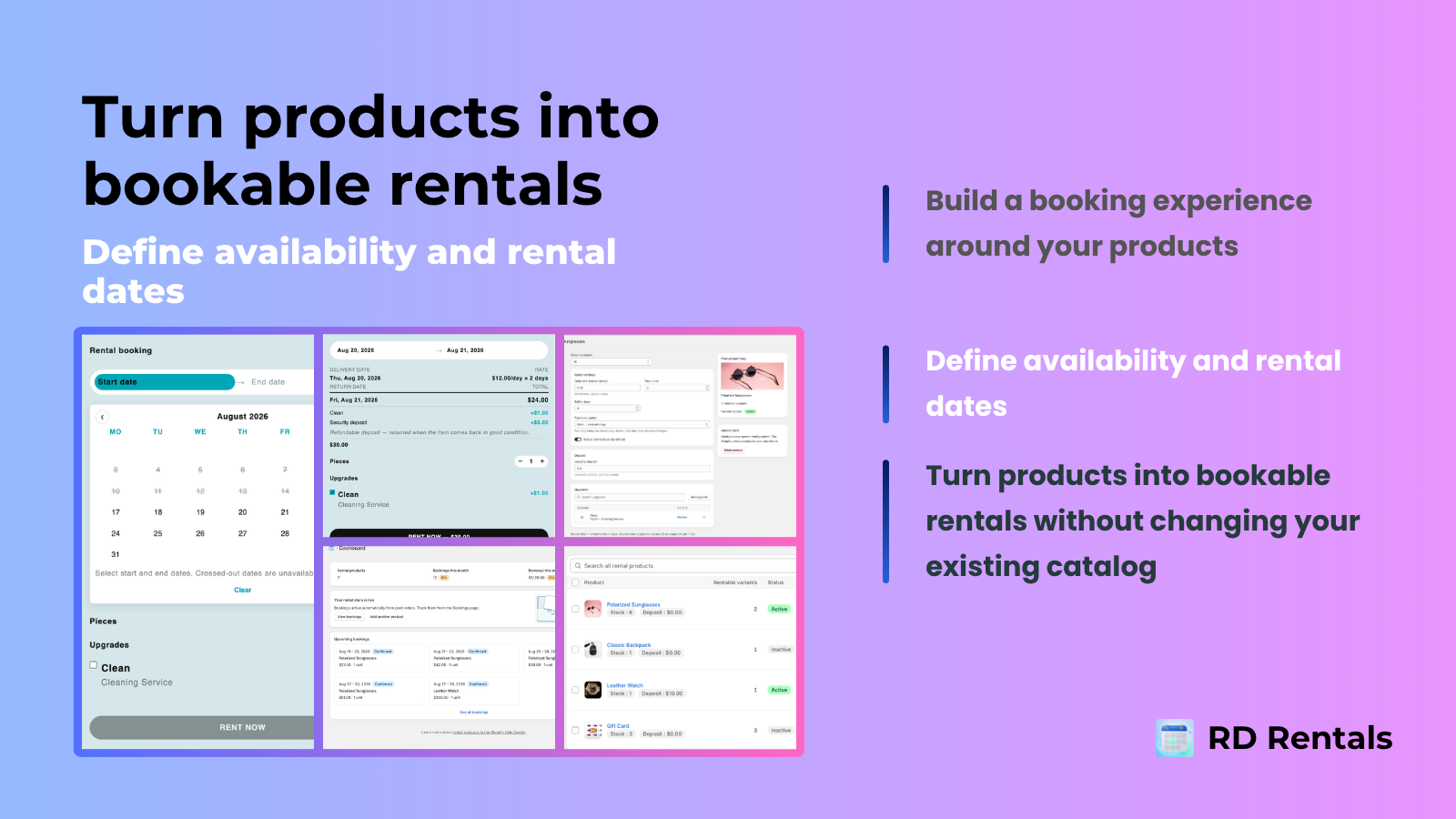
Embed a date-range booking calendar directly on your product pages. Customers pick start and end dates, see daily availability, and add rentals to cart in one step.
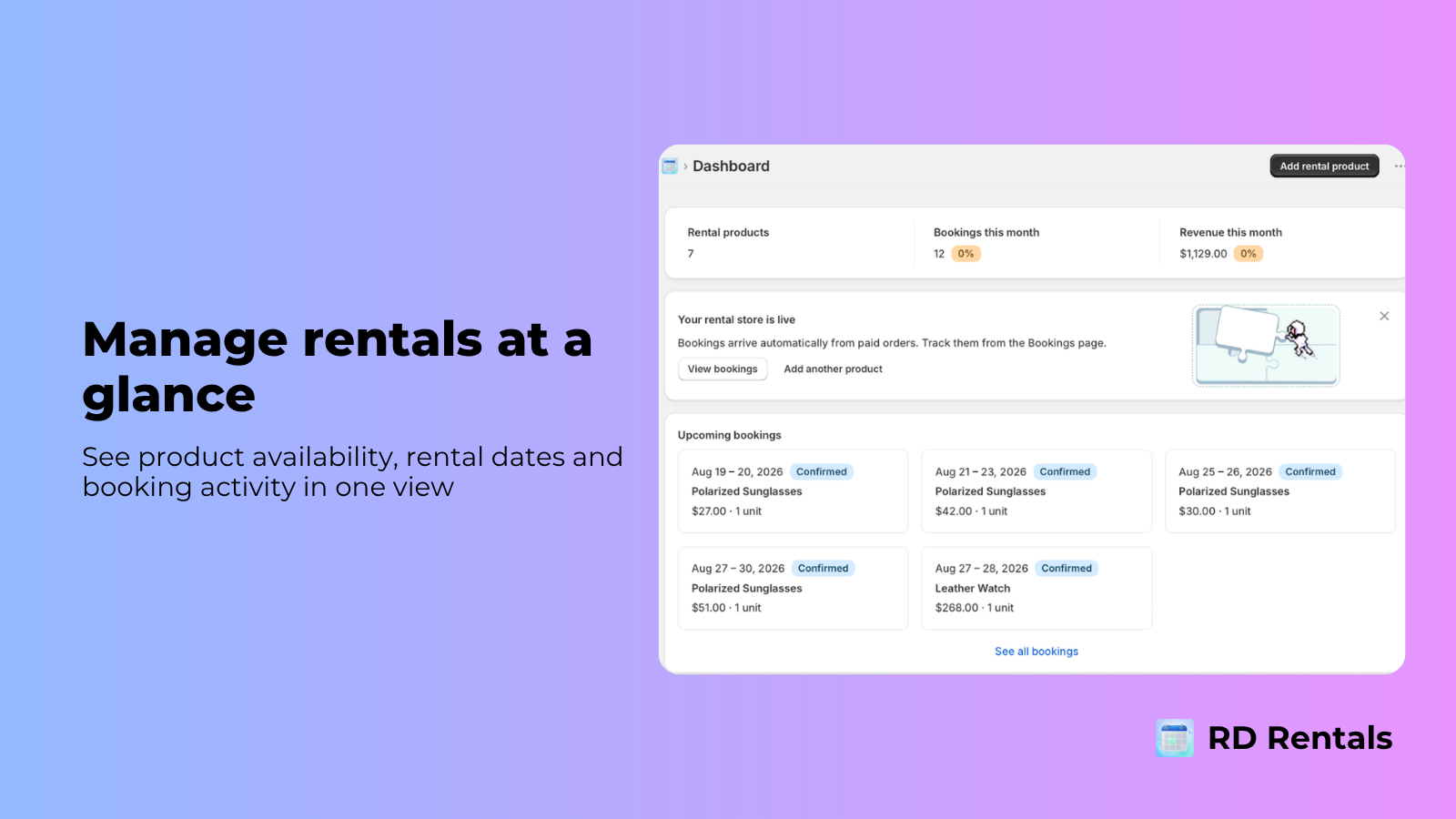
Track every rental from confirmation to completion. View upcoming bookings, filter by status, and manage cancellations from a single dashboard.
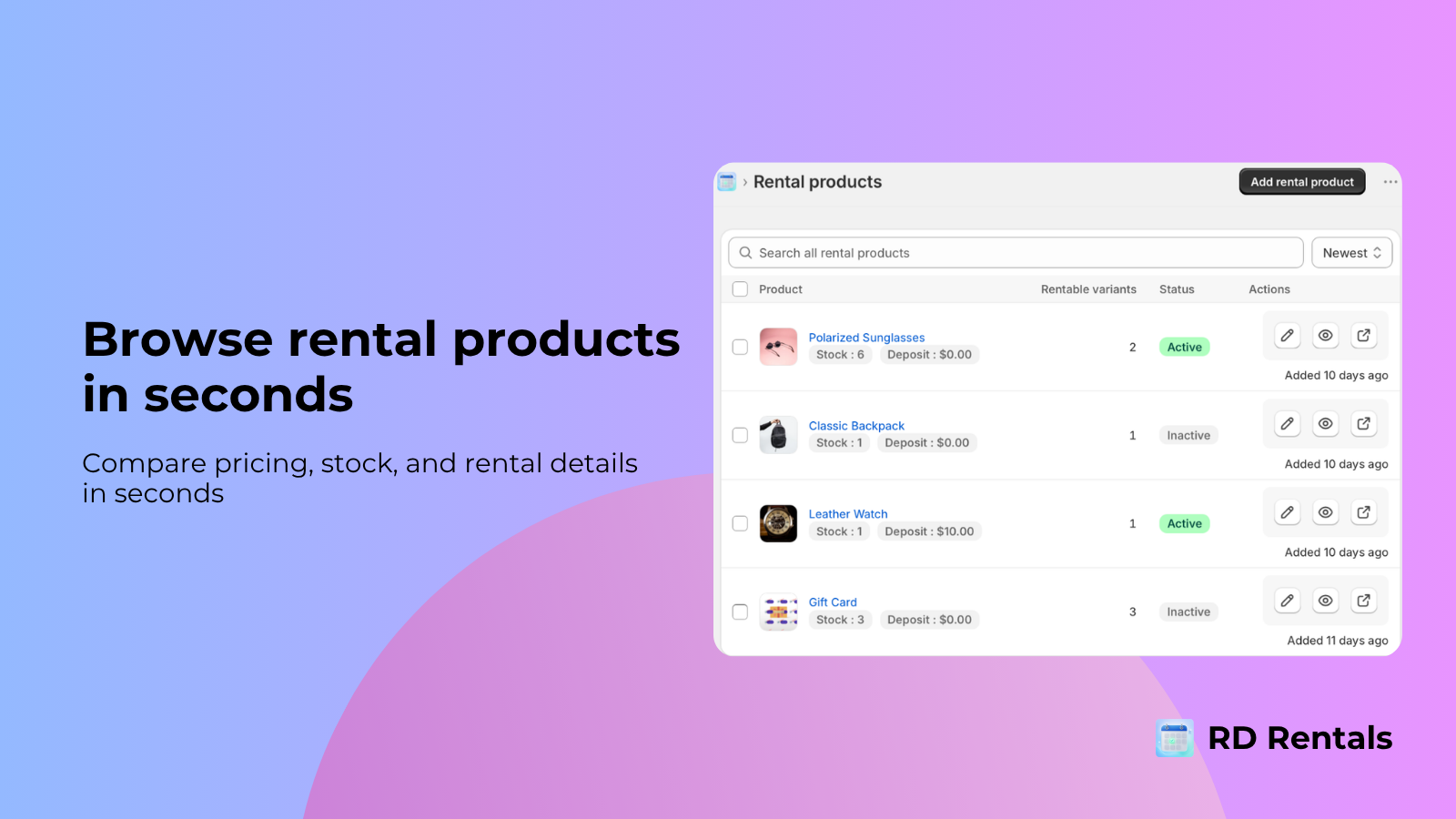
Set per-day unit limits for each rental product. The calendar automatically blocks unavailable dates and prevents overbooking across your catalog.
Configure daily, weekly, and monthly pricing with deposit support. Set buffer days between rentals for cleaning or maintenance.
Rental bookings flow directly into Shopify checkout with the correct line items, date ranges, and pricing. No custom checkout needed.
How it works
RD Rentals keeps the full workflow inside Shopify admin: configure your rental products, embed the calendar on your storefront, and manage bookings from a single dashboard.
Mark Shopify products as rentals, set daily/weekly/monthly pricing tiers, define inventory limits per day, and configure buffer days between bookings.
Product settings are saved for repeated use.
Add the RD Rentals Calendar Theme App Block to your product pages. Customers select start and end dates, see real-time availability, and add rentals to cart.
No code changes needed: just drag and drop.
View all upcoming bookings, track status from confirmed to completed, handle cancellations, and monitor revenue metrics from the dashboard.
Real-time updates via Server-Sent Events.
Pricing
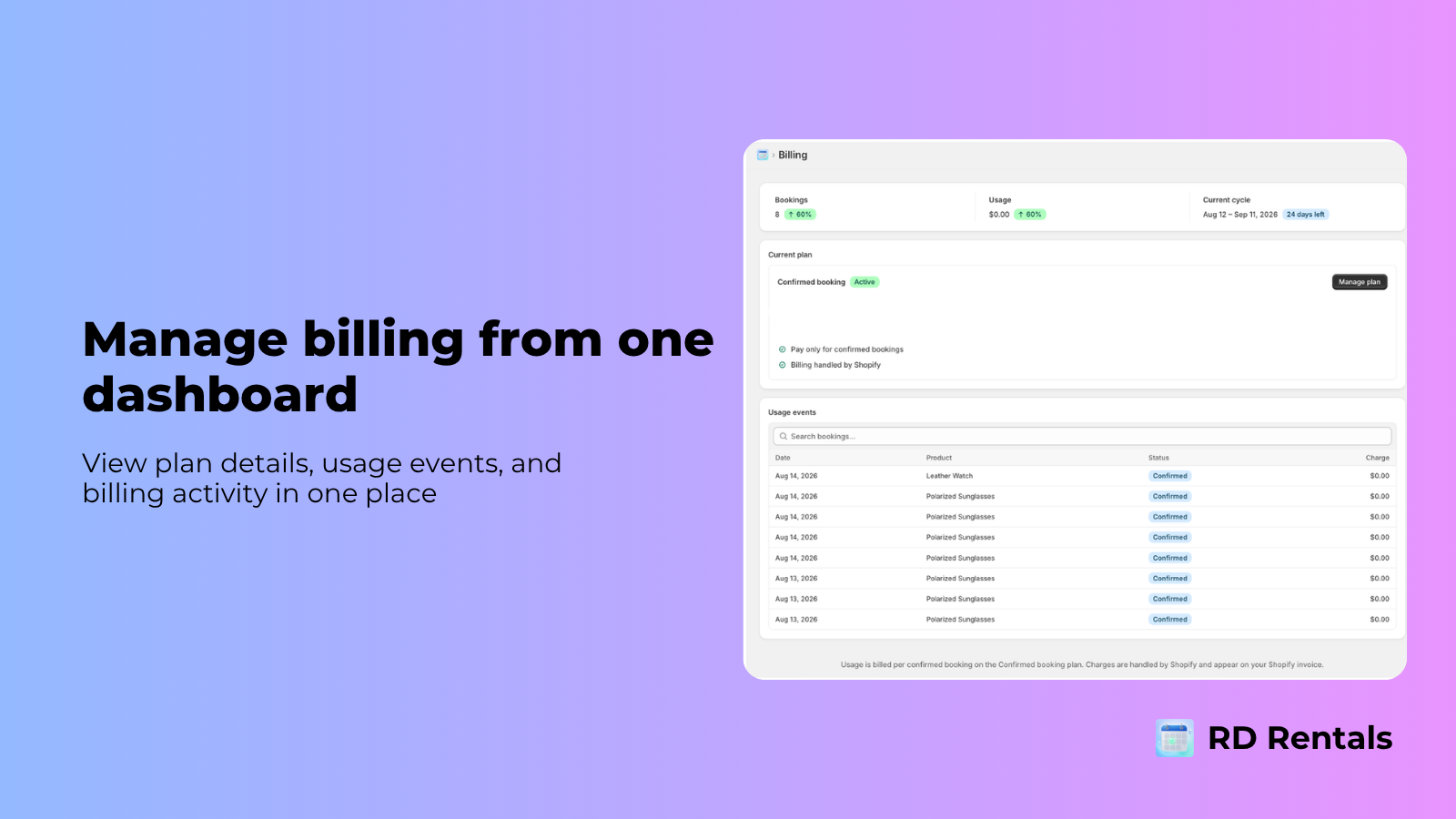
No monthly fees, no hidden costs. You only pay when a booking is confirmed. Billing is handled entirely through Shopify.
$0
no monthly fee, pay only per confirmed booking
FAQ
Quick answers about installation, bookings, pricing, and data.
Install RD Rentals from the Shopify App Store or your Partner invite link. After OAuth completes, open the app from Shopify admin. We never ask you to type a .myshopify.com domain during install.
Install RD Rentals from Shopify, configure your first rental product, and embed the booking calendar on your product pages. Questions? Our support chat is one click away.